
The System welcome email contains all the information a Cross Connect user could need to get up and running. It contains their username & a link to configure their password, as well as a link to the mobile apps.
- Single User
- Multiple Users
To trigger the system welcome email, first navigate to the users advanced options and select the User, then navigate to the Advanced tab
Users > Username > Advanced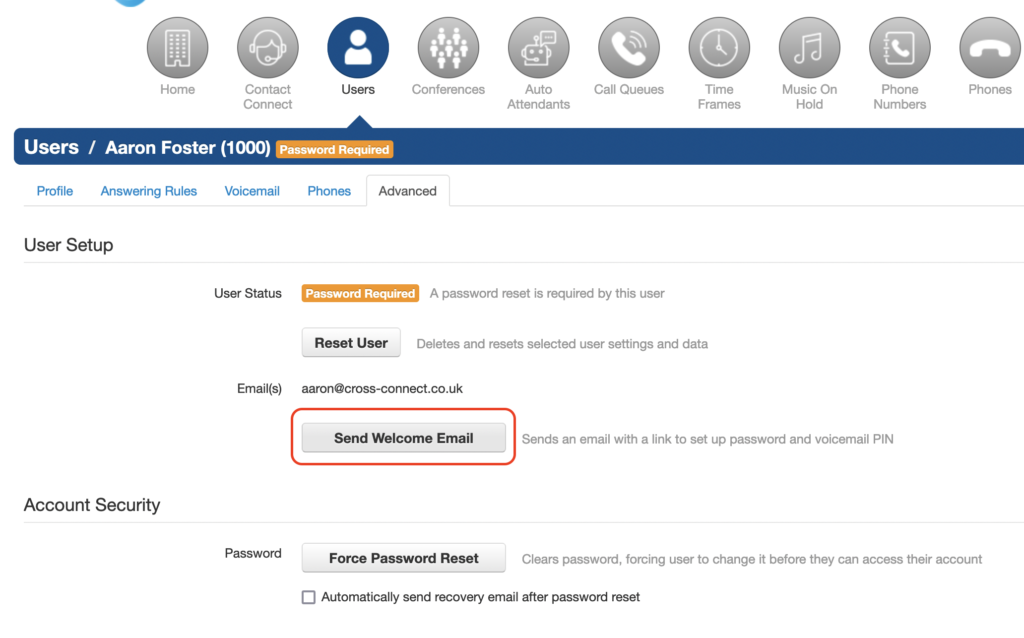
The “Bulk Action” button can also be used to trigger the welcome email for multiple users, simply select the user with the checkbox on the left of their name, and then press the “Bulk Action” button.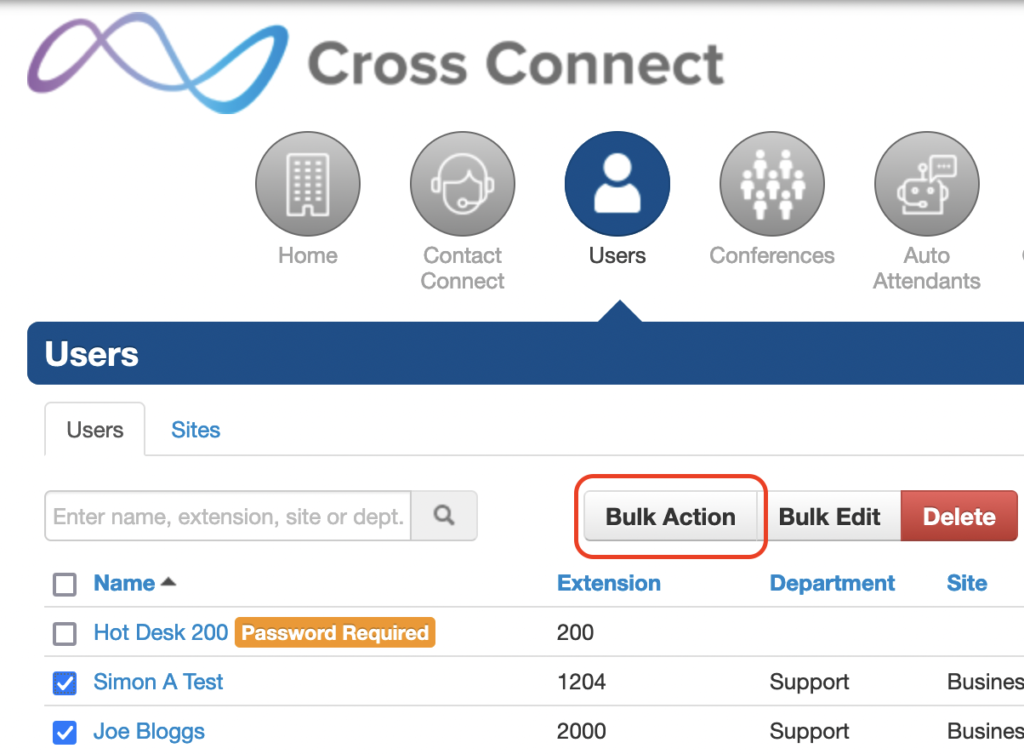
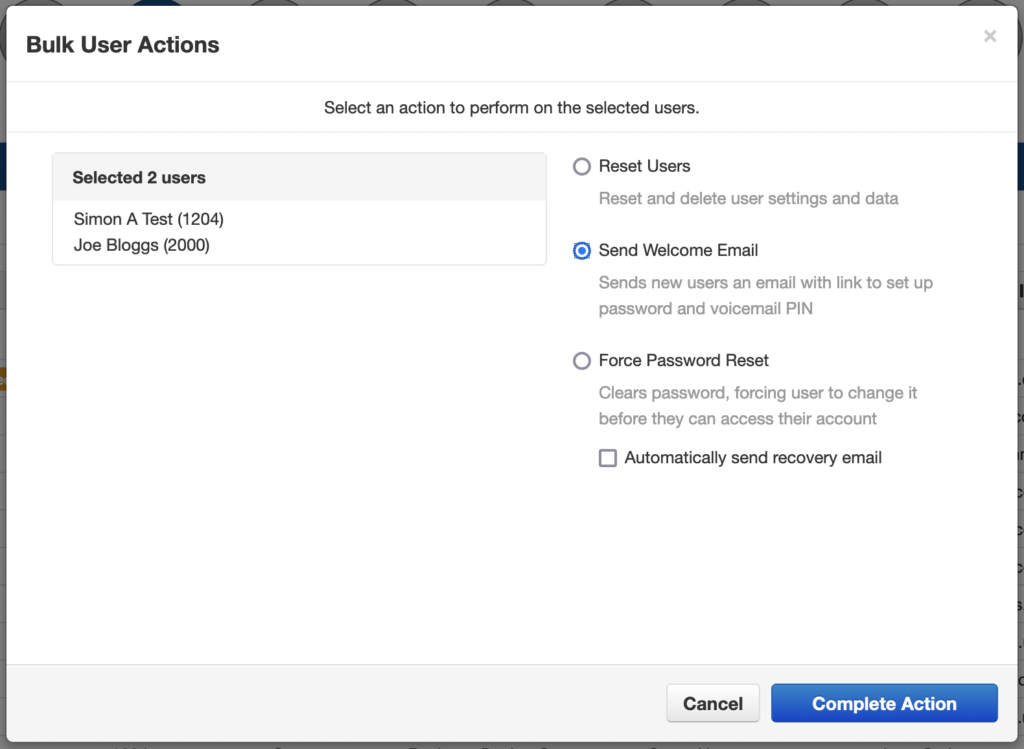
Once the email has been triggered the user will recieve their welcome email from platform@cross-connect.co.uk.