
The feature to prioritise calls that are waiting in a call queue allows greater control in how calls are being received. When a call is prioritised, it is sent to the top of the queue and it will be the next one dispatched to a call center agent. In the case of multiple prioritised calls, the calls will all move to the top of the queue in the order of “longest in the queue” first.
Manually Prioritising calls
First, navigate to the contact center view, once here click on the “Callers Waiting” section of the queue to manage.

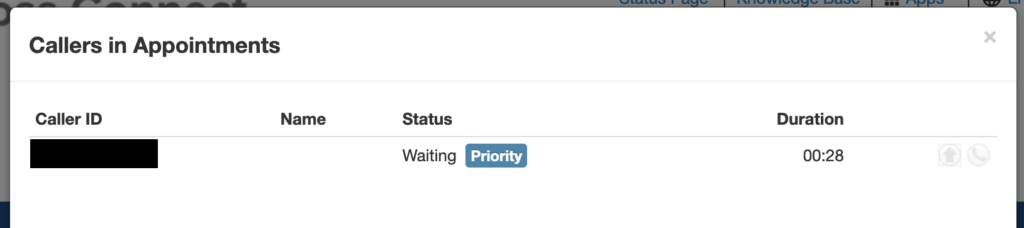
Then from the new Modal that opens click on the “Prioritize” arrow on the right hand side this will push callers to the front of the queue.

After being prioritised, the status will update, the supervisor will see the priority tag besides the callers.
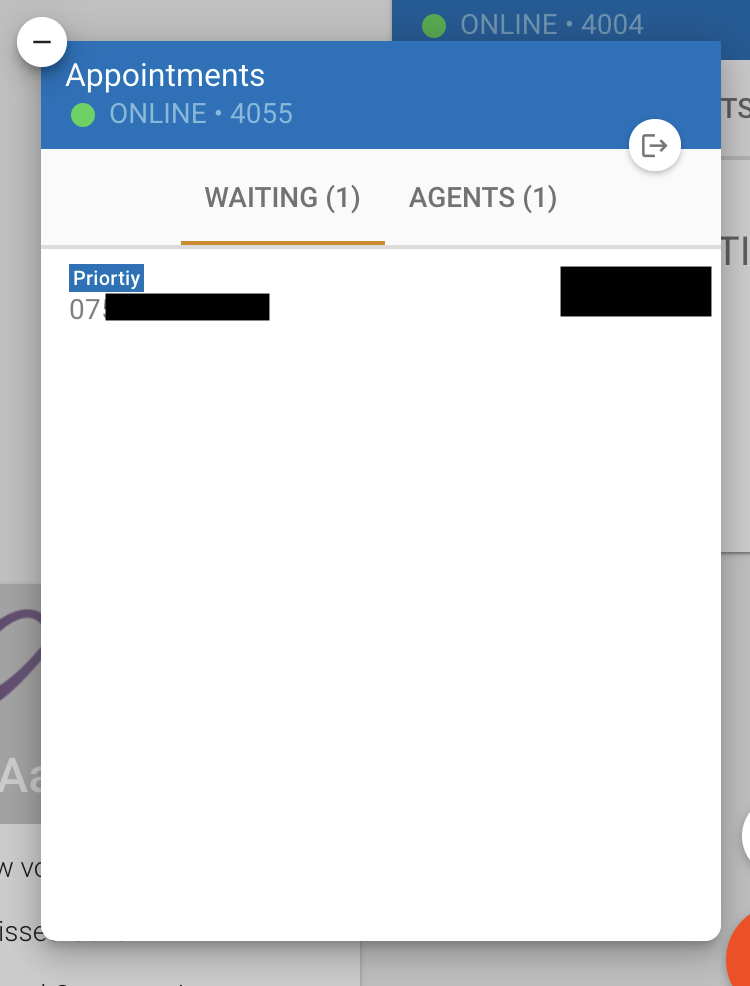
Agents will also see that the caller has been prioritised within the web app.
Then from the new Modal that opens click on the “Prioritize” arrow on the right hand side this will push callers to the front of the queue.
After being prioritised, the status will update, the supervisor will see the priority tag besides the callers.
Agents will also see that the caller has been prioritised within the web app.
Queue Priority (Skills based routing)
For a more advanced setup, queue prioritsation can be configured via agent skills based routing.
Priority applies when an agent services multiple queues and those queues have a caller waiting for dispatch to an agent. The queue where the available agent has the highest priority (lowest number) will be the serviced queue.
The example we’ll be setting up is a VIP queue and a regular queue, we’ll have the same set of agents service both queues but give them priority 1 for the VIP queue and priority 2 for the regular queue to prioritize VIP callers.
The agent priority level is configured in the queue panel by editing the agents, once configured the system will take care of the rest.

Priority applies when an agent services multiple queues and those queues have a caller waiting for dispatch to an agent. The queue where the available agent has the highest priority (lowest number) will be the serviced queue.
The example we’ll be setting up is a VIP queue and a regular queue, we’ll have the same set of agents service both queues but give them priority 1 for the VIP queue and priority 2 for the regular queue to prioritize VIP callers.
The agent priority level is configured in the queue panel by editing the agents, once configured the system will take care of the rest.