
Cross Connect provides a number of ways to block nuisance or unwanted calls. This article explores some of the most popular methods to handle these scenarios.
These features are all configured in the answering rules of an extension. Answering rules can be configured directly by the user of an extension within the portal or alternatively a system administrator can configure answering rules for any of the users on their domain.
Call Screening
If call screening is enabled the caller will be prompted by the system to record their name before a call is presented to the extension configured for screening. The recipient will receive a call that plays the recorded prompt and provides the option to answer the call by dialling 1 or reject the call by pressing 7, if the call is rejected the call will be disconnected.
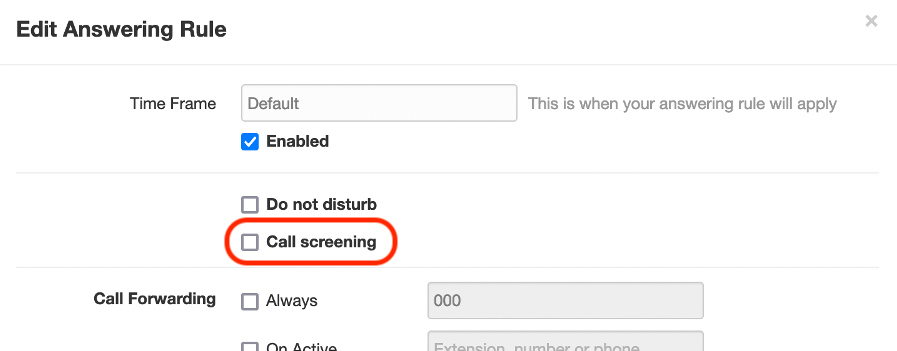
Enabling call screening is performed within the system user interface. The call screening feature can be configured as an answering rule.
Setting up call screening
Call screening can be enabled by checking the “Call screening” option in the users active Answering rule
CLI Blocking
Cross Connect can block specific callers via the telephone number they present, otherwise known as the CLI (Calling line identity). This option is also configured within the answering rules of an extension, under the allow/block option. Any numbers that call in that are in the block list will be rejected and the system CDR will show a rejected status for that call.
Setting up CLI blocking
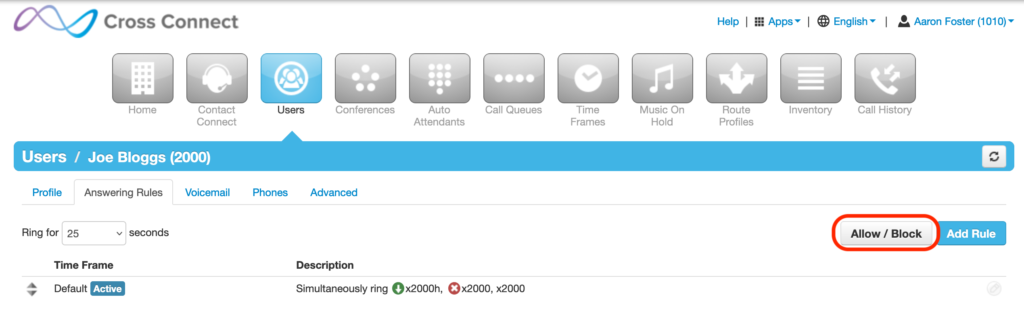
Navigate to the users “Answering Rules” and press the “Allow/Block” button
Users > User > Answering Rules > Allow / Block
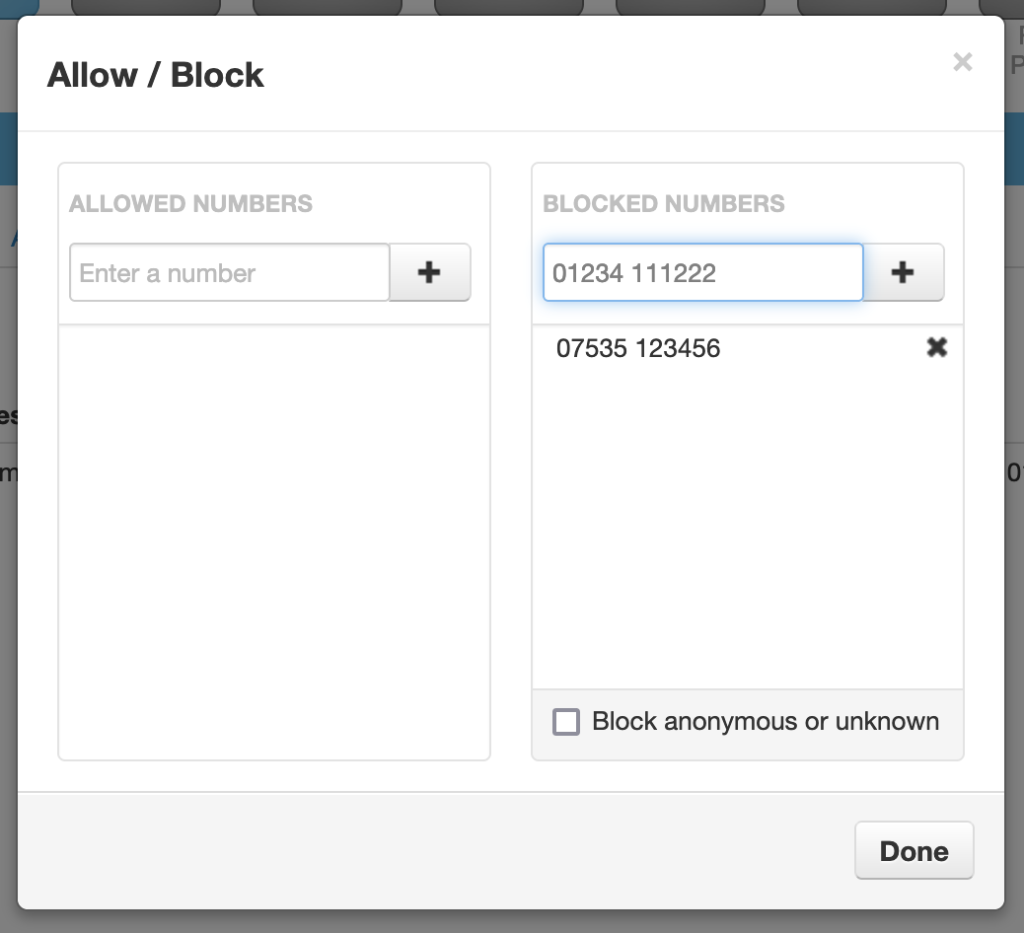
Once the Allow/Block menu has opened, add the number to the blocked numbers list how it appears within your CDRs to add it to your block list.
Block Anonymous Callers
Spam calls are often generated anonymously, as the originating number is not possible to detect in these scenarios often the only solution is to block anonymous calls entirely.
Setting up anonymous blocking
Anonymous call filtering can be enabled on a per device basis by dialling the feature access code *77, to disable anonymous filtering simply dial *78.
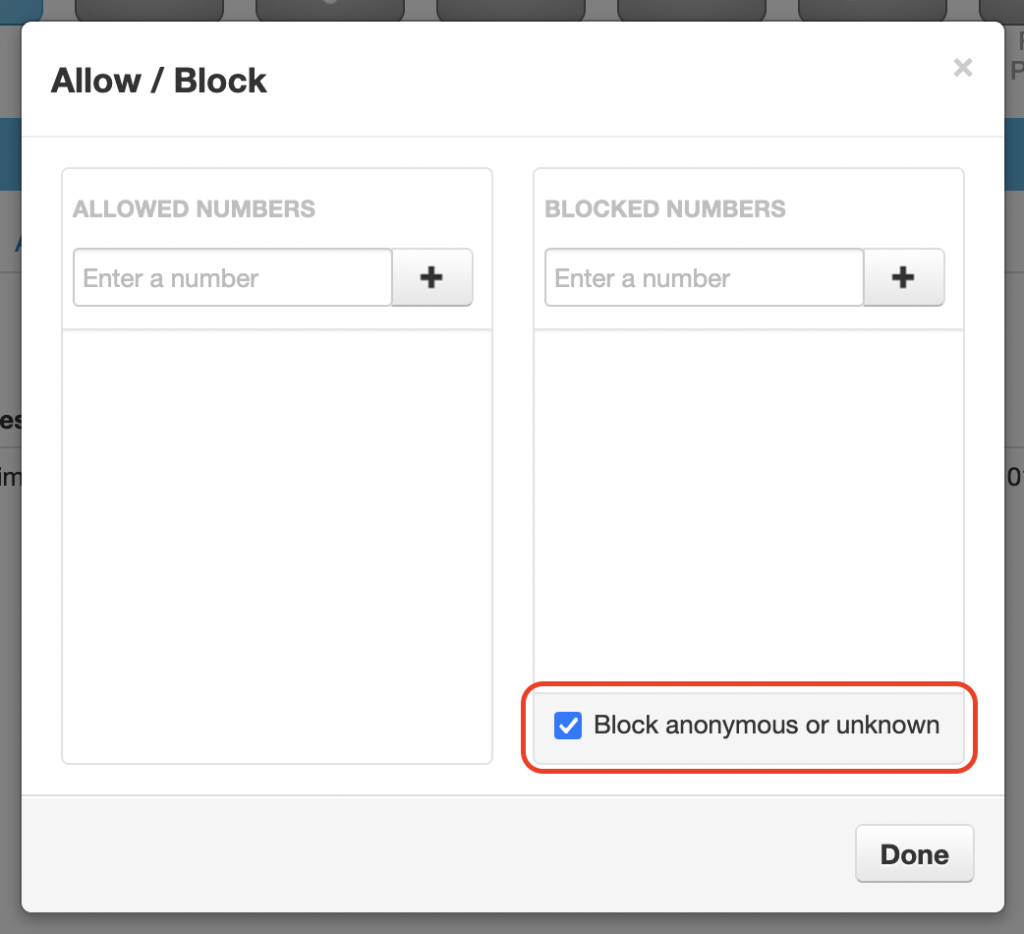
Anonymous call filtering can also be configured as an answering rule here:
Users > User > Answering Rules > Allow / Block
Further Action
For further advice on tackling nuisance calls please see the official ofcom guidance here: